What is a VPN (Virtual Private Network)?
- VPN stands for "virtual private network" — as the name says, a "virtual" private network. When you want to re-partition an already-built network, you could physically rewire everything, but that costs money and time — a VPN can solve it instead.
- When building a private network linking many computers, wiring each one is expensive and physically fragile; a VPN means building the communication system using the internet plus encryption technology.
- Also, when building a special-purpose intranet, you can connect only the relevant computers over dedicated lines so third parties can't get in.
What is a VPC (Virtual Private Cloud)?
Amazon Virtual Private Cloud (Amazon VPC) lets you launch AWS resources in a virtual network that you define. This virtual network closely resembles a traditional network that you'd operate in your own data center, with the benefits of using the scalable infrastructure of AWS. — official Amazon docs
A VPC (Virtual Private Cloud) is the VPN technology described above applied to the cloud. A VPC provides a network space in the AWS cloud completely logically isolated from other customers, and is the resource used to create AWS resources in a virtual network.
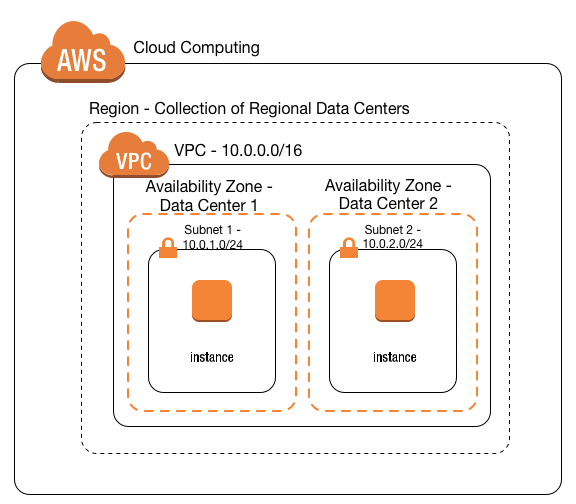
- A VPC is bound to a region and creates an isolated network inside AWS.
- A VPC name and an IPv4 CIDR block are mandatory.
- Resources created in the cloud are by default created on a specific network and get a private IP for reaching them.
- These resources are built on a specific VPC, so they receive appropriate IP assignments within the VPC's CIDR range.
- A single VPC's maximum size is /16, which allows 65,536 IPs.
- It uses private address space.
- 10.0.0.0 ~ 10.255.255.255 (10/8 prefix)
- 172.16.0.0 ~ 172.31.255.255 (172.16/12 prefix)
- 192.168.0.0 ~ 192.168.255.255 (192.168/16 prefix)
- The default VPC's CIDR is 172.31.0.0/16.
What is a subnet?
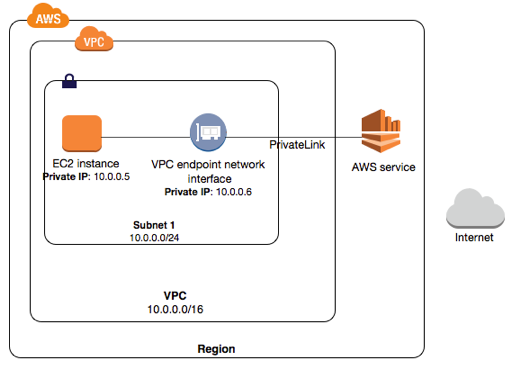
- To use a VPC, subnets are absolutely required.
- A subnet lets you split the IP range the VPC defines into smaller usable pieces.
- A subnet's maximum size equals the VPC's maximum size.
- It's recommended to create at least 2 subnets so a problem in one availability zone doesn't take down the service.
What is an Internet Gateway?
An internet gateway is a horizontally scaled, highly available, redundant VPC component that allows communication between your VPC and the internet.
An internet gateway serves two purposes: to provide a target in your VPC route tables for internet-routable traffic, and to perform NAT (network address translation) for instances that have been assigned public IPv4 addresses.
An internet gateway supports IPv4 and IPv6 traffic. It does not cause availability risks or bandwidth constraints on your network traffic.
- The Internet gateway is the AWS component enabling communication between resources hosted in the VPC and the internet — absolutely required for resources like an EC2 in a subnet to connect to the internet.
- The Internet Gateway is a horizontally scalable, highly available component with no network bandwidth constraint.
- It acts as the channel through which services hosted in the VPC are reachable from the outside world, and likewise lets resources hosted inside AWS connect to the internet.
- In short, the Internet Gateway plays the role of the passage out to the external internet.
What is a Route Table?
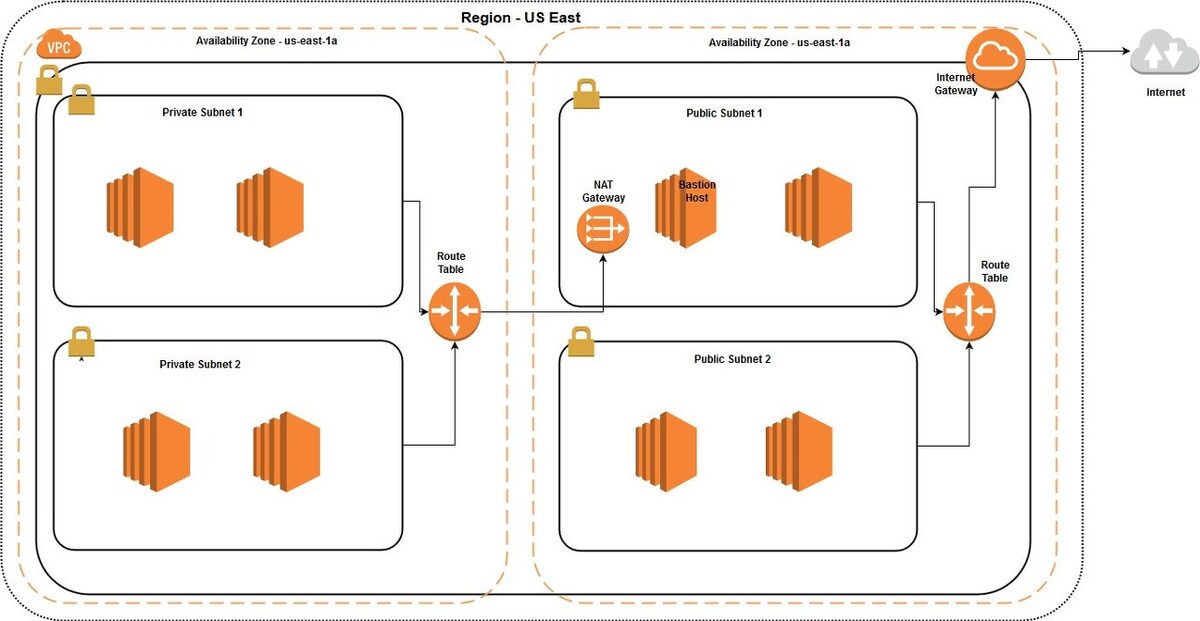
- A route table is a resource associated with subnets.
- When a subnet uses the network, it uses this route table to find destinations.
- The route table is associated with subnets, but it's created when the VPC is created and is attached to the VPC too.
- This route table is used as the default route table when creating subnets belonging to the VPC.
- When the destination is the VPC's CIDR block, it's resolved within the internal range.
- To connect to the internet or communicate with another VPC, you must define additional route rules in the route table.
How to use a VPC
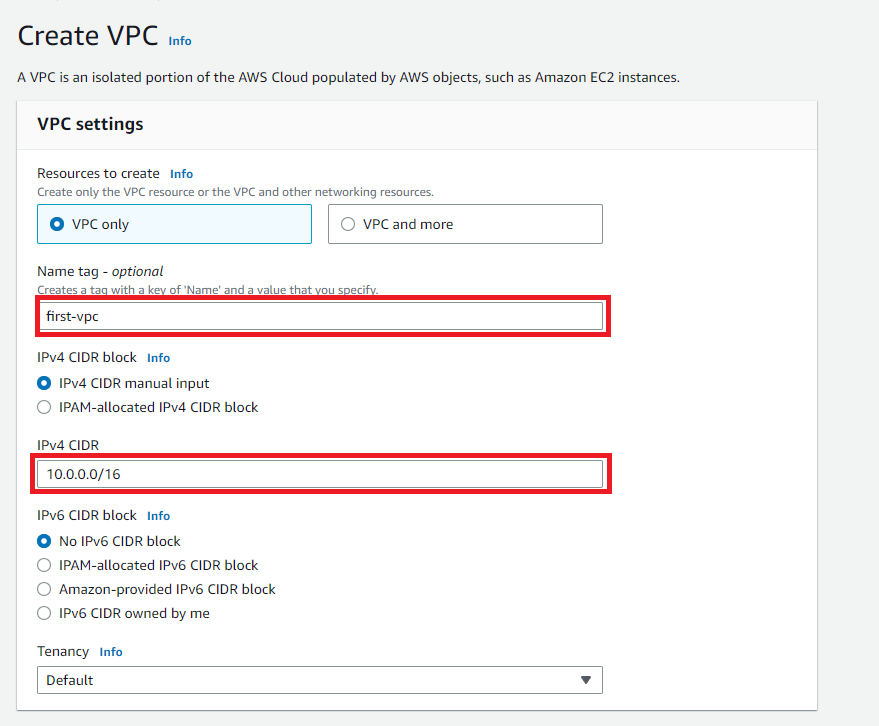
Enter a suitable VPC name and IPv4 CIDR. The 10.0.0.0/16 range above covers 10.0.0.0 ~ 10.0.255.255. Then press Create VPC to create it.
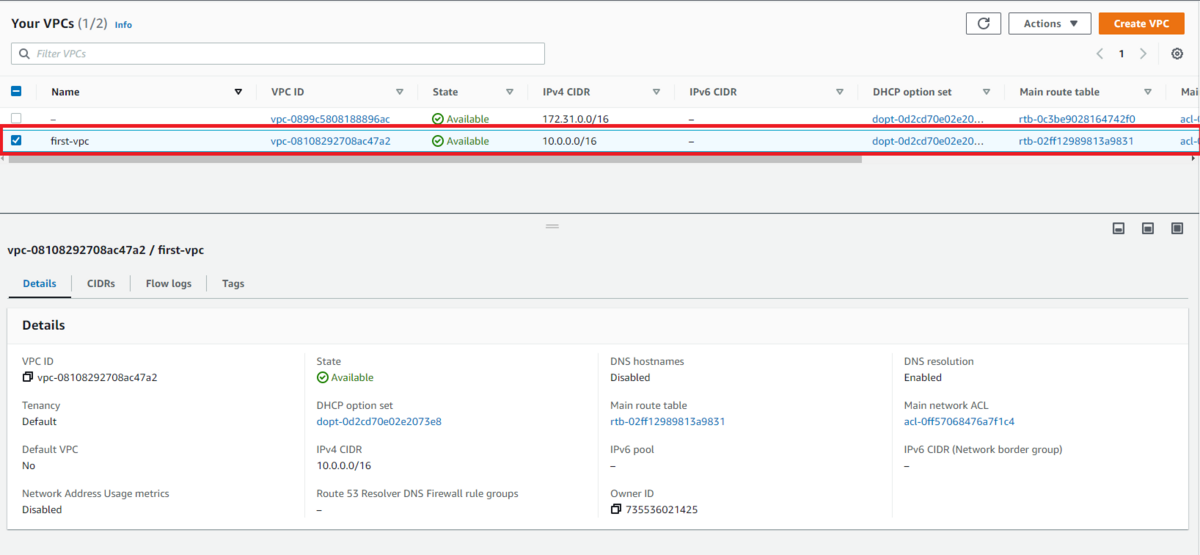
You can see it was created fine. Now check the new VPC, right-click, and press Edit VPC Settings. Then enable every DNS-related checkbox.
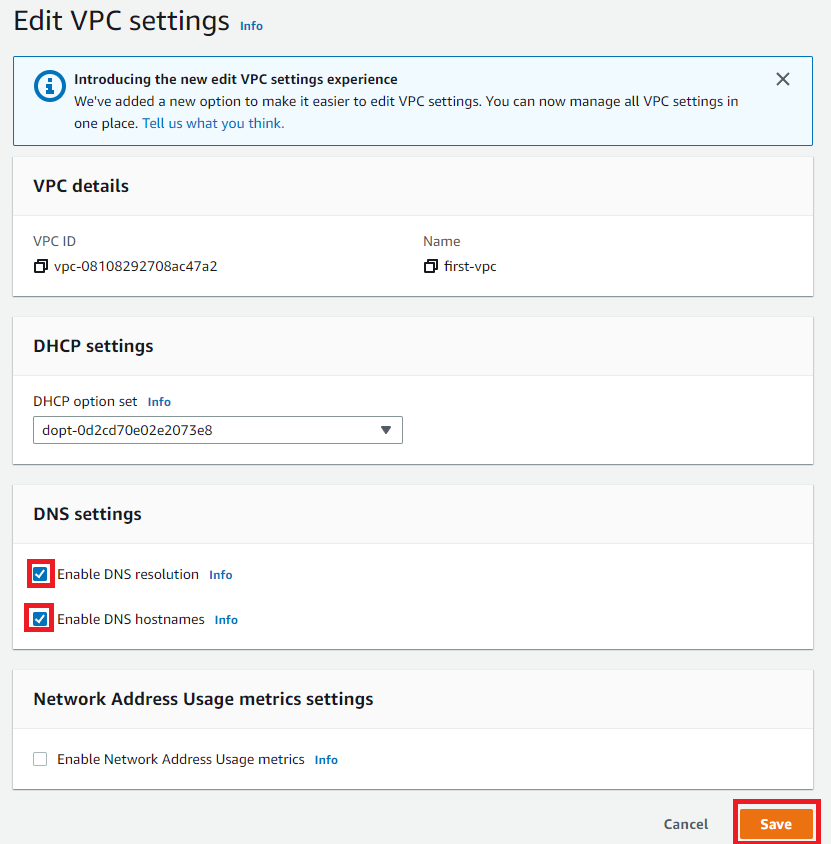
Press Save and the VPC creation is complete. Now move on to Subnets.

There's one default VPC already, so you can see 4 subnets pre-exist. Press Create subnet.
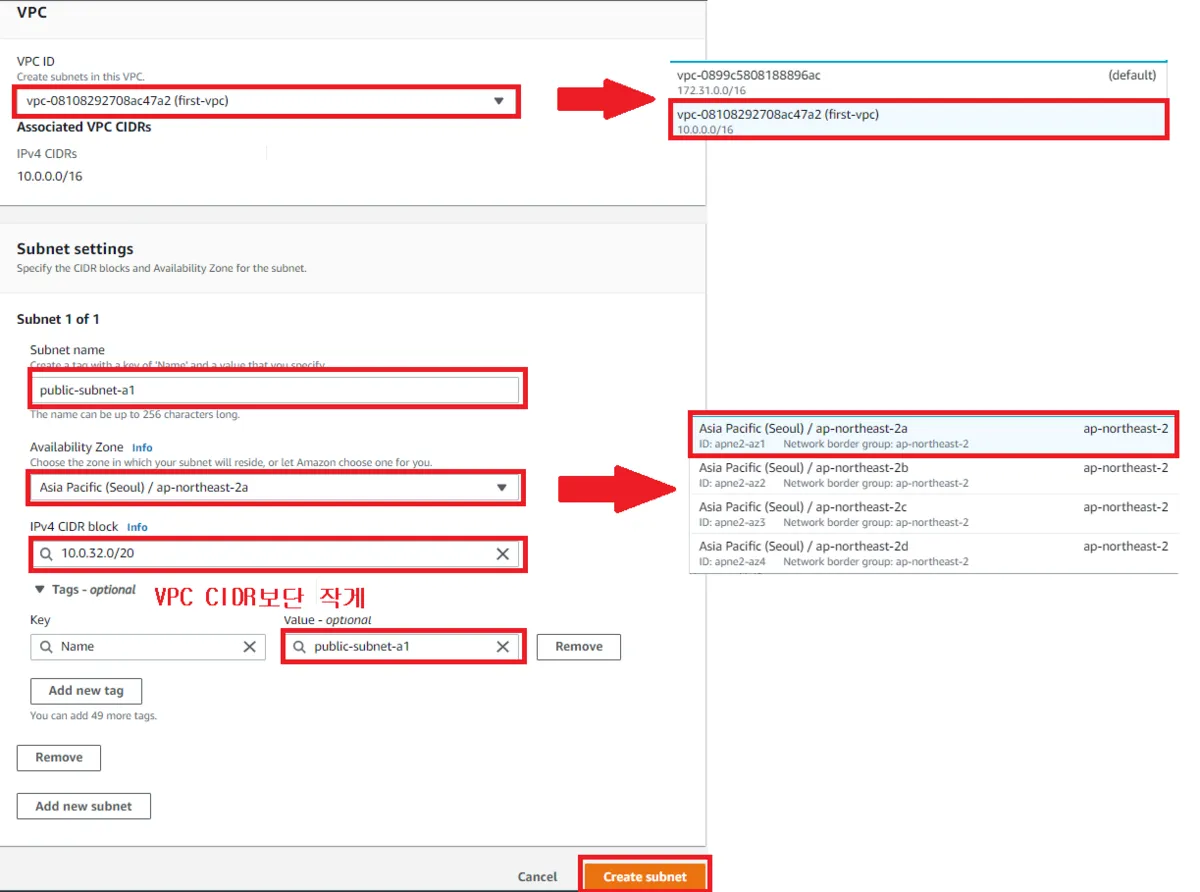
Configure it to match the picture above. I allocated 10.0.32.0/20 in Seoul's ap-northeast-2a zone and created it.
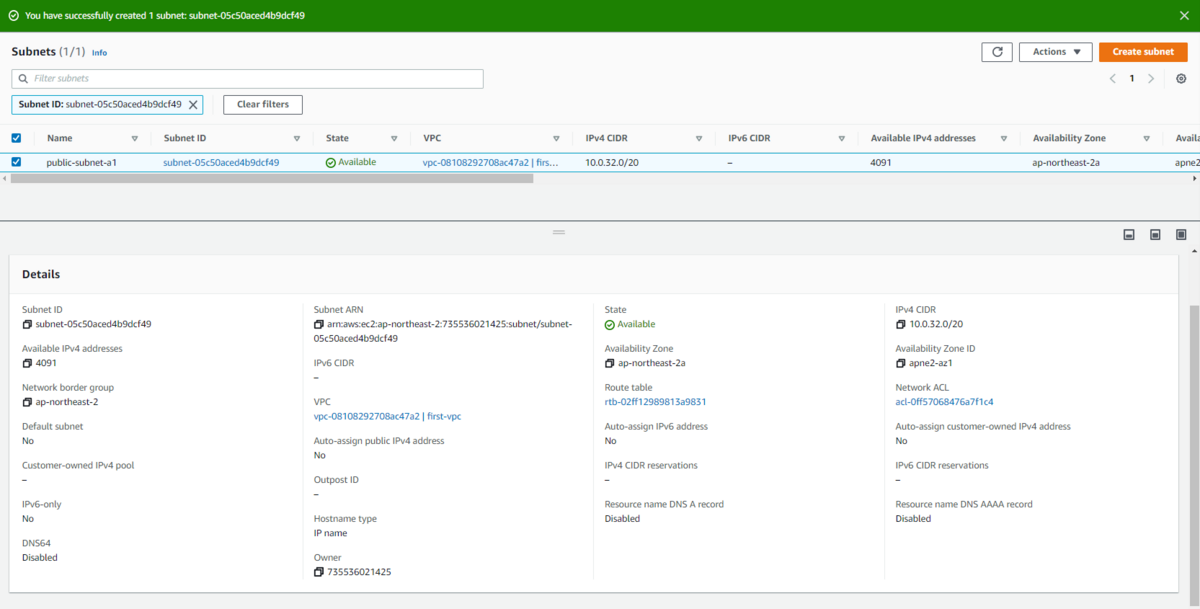
You can confirm it was created fine. Like this, I'll create two zones with 1 public and 2 private subnets each in the same zone.
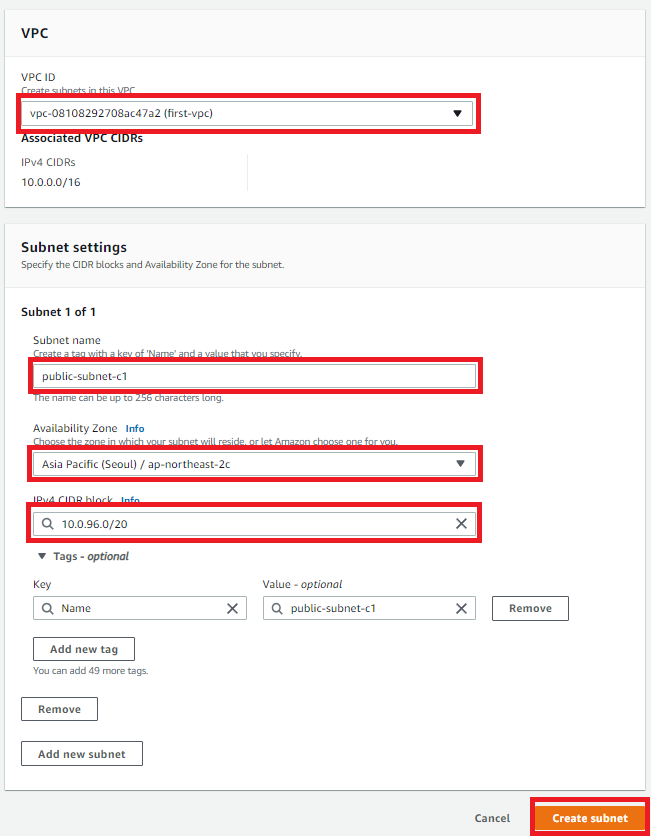
The other zone I made in 2c.
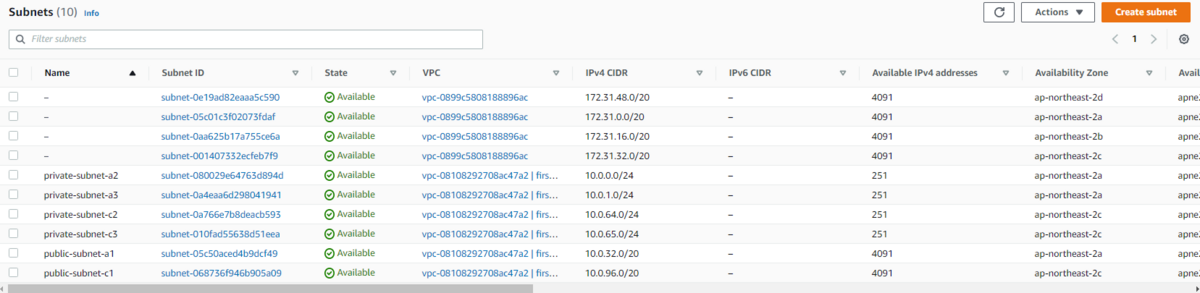
The final result looks like the above. Now let's go into Internet Gateway!

Press Create Internet gateway.
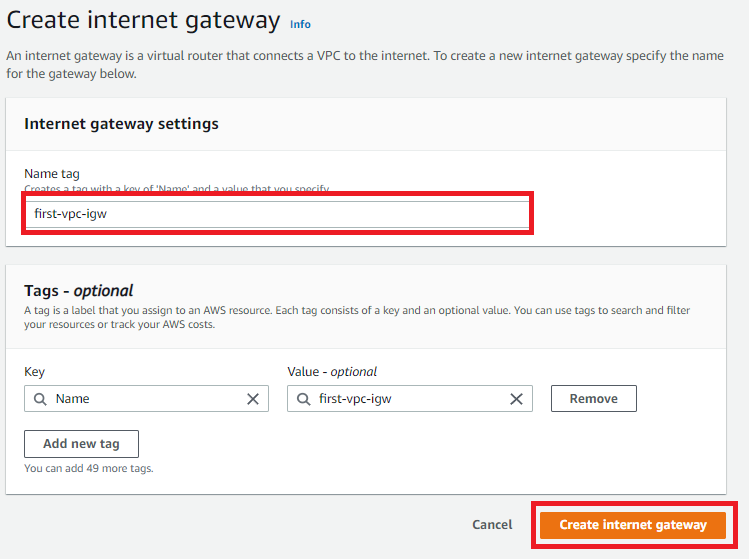
Set the name and click Create internet gateway to make it.
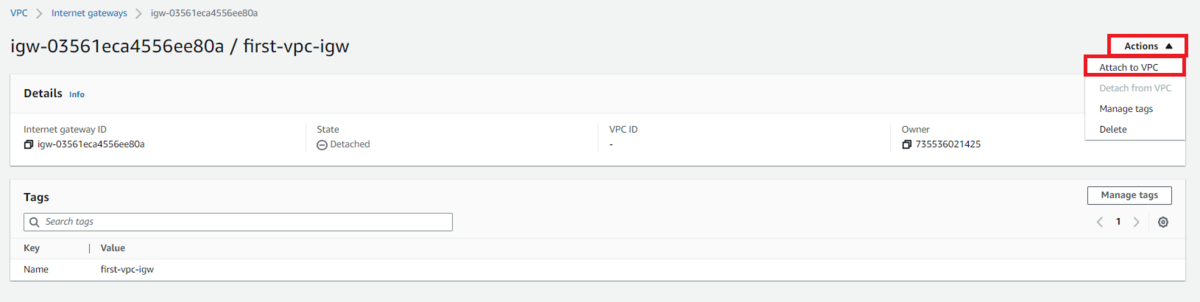
Then attach the Internet gateway to the VPC with Actions -> Attach to VPC.
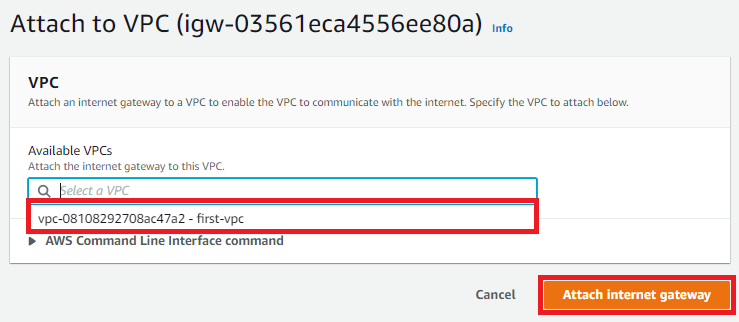
With this, the VPC we made becomes internet-capable. Now let's do the routing. Go into Route tables!

Press Create route table.
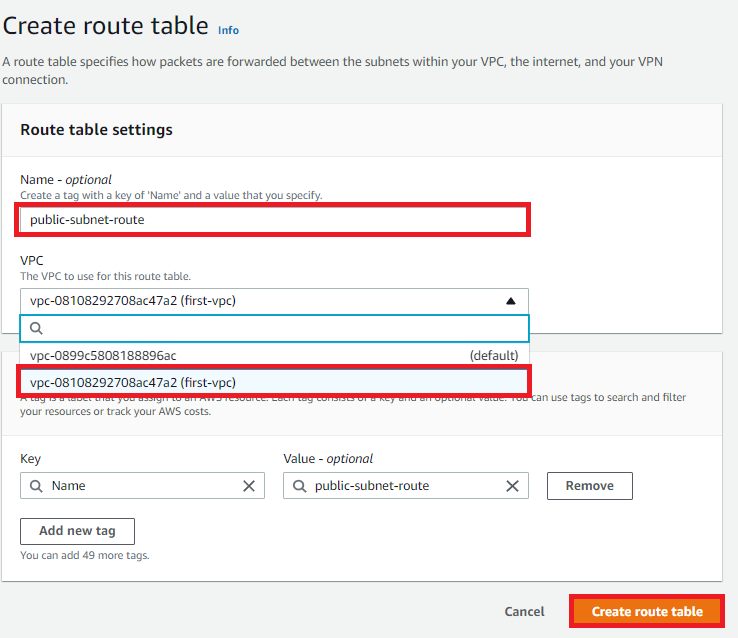
Pick a name and the right VPC and press Create route table. First we make the router that links the publics together.
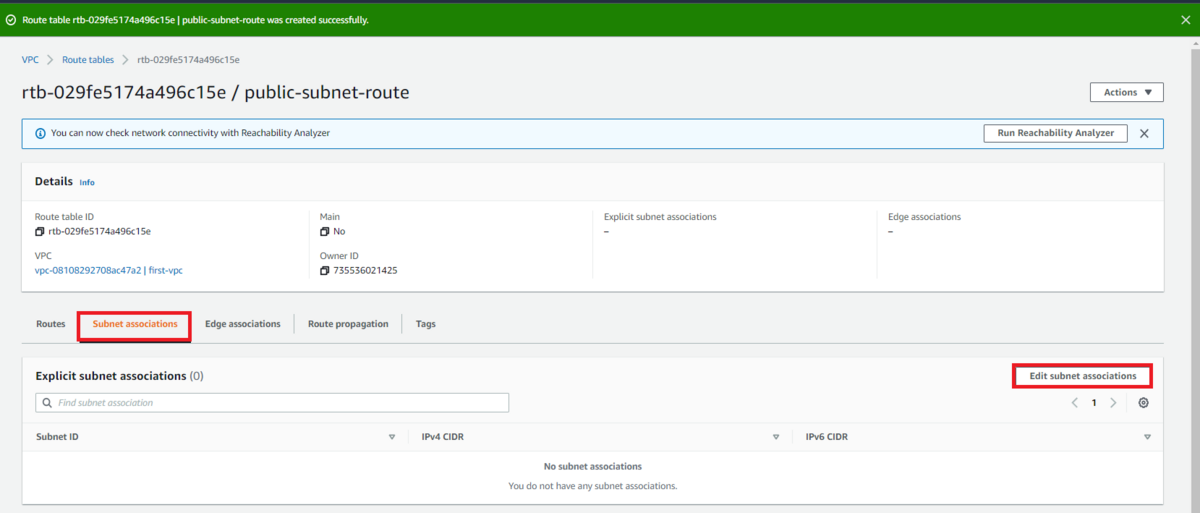
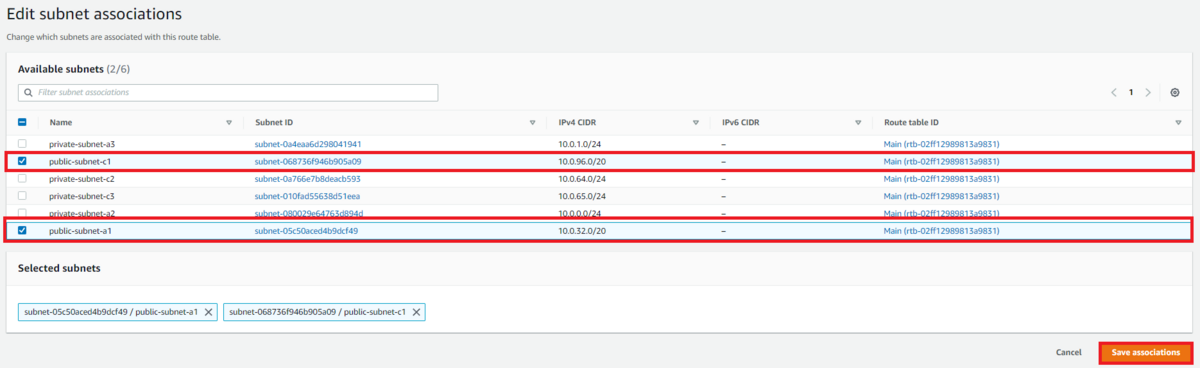
Follow the picture above, select the 2 public subnets, and associate them.
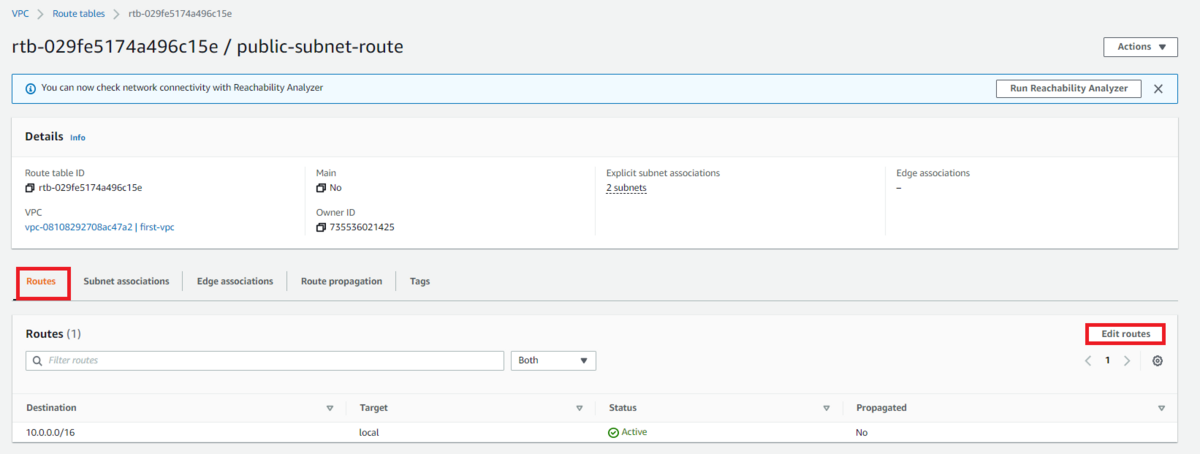

We must configure where packets destined for anything other than 10.0.0.0/16 should go. Set 0.0.0.0/0 so all packets travel to the Internet Gateway we made earlier. Then create route tables for each of the privates.
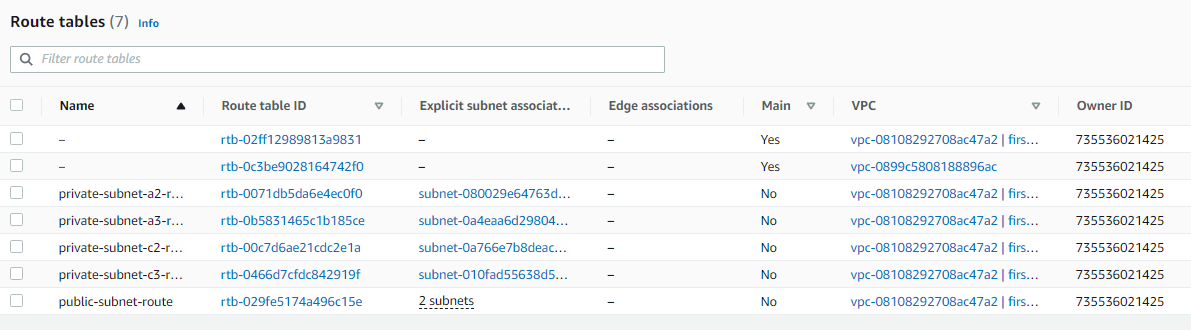
The final result. The public routes include one going to the Internet Gateway, but none of the privates do. That's why only public can reach the internet, while private can't interact with the internet at all.
With this, the basic VPC configuration is complete.
Original (Korean): tistory — published 2023-01-11, migrated to this blog. This translation was generated with the help of AI.