What is Patch Manager?
- Patch Manager automates the process of patching managed nodes with security-related and other types of updates.
- You can scan instances and only view a report of missing patches, or scan and then automatically install all missing patches.
- Both operating systems and applications can be patched.
- It patches fleets of the following OS types.
- Amazon Elastic Compute Cloud (Amazon EC2) instances
- Edge devices
- On-premise servers
- Virtual machines (VMs)
- Supported versions
- Amazon Linux
- Amazon Linux 2
- CentOS
- Debian Server
- MacOS
- Oracle Linux
- Raspberry Pi OS (formerly Raspbian)
- Red Hat Enterprise Linux (RHEL)
- SUSE Linux Enterprise Server (SLES)
- Ubuntu Server
- Windows Server
Hands-on
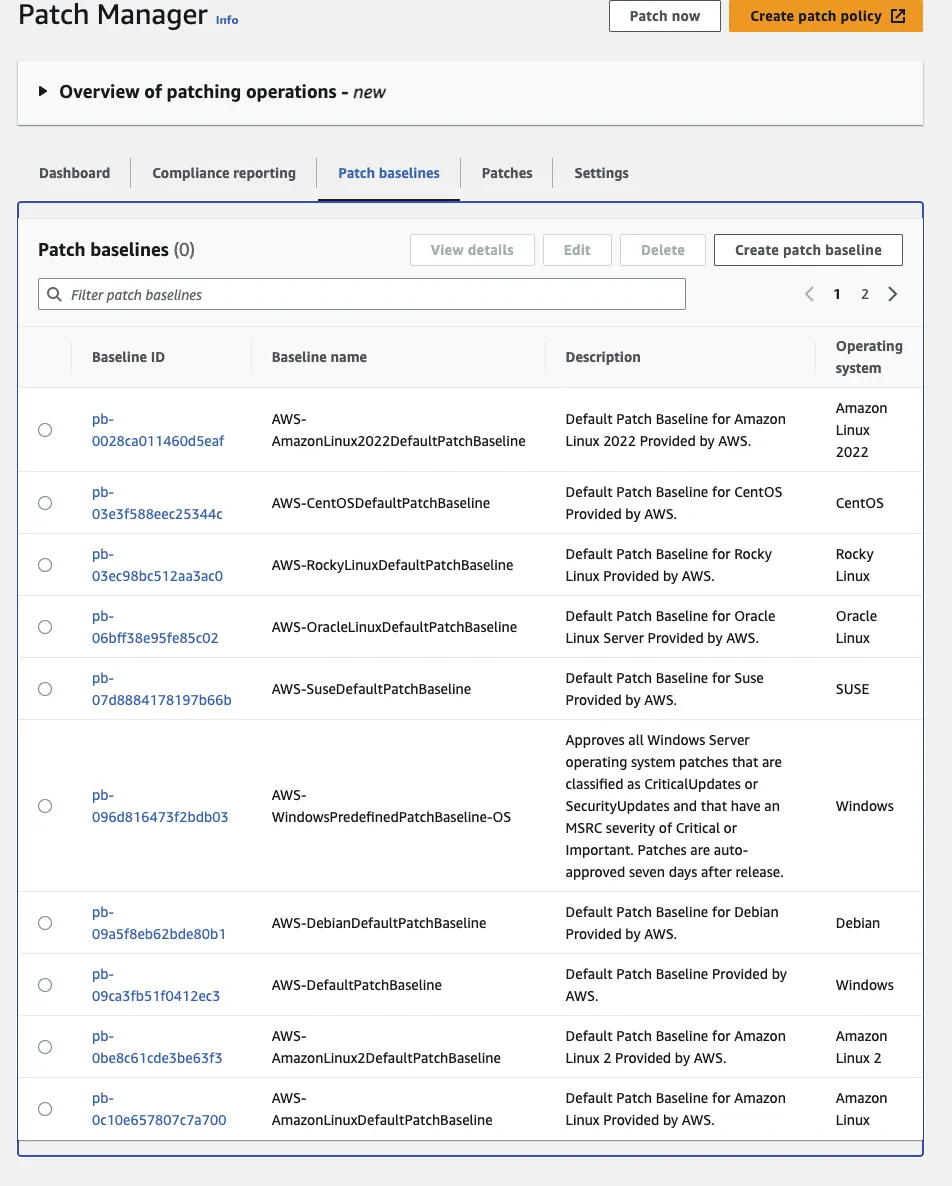
On the Patch Manager page, looking at the patch baseline tags shows the patch baselines AWS uses by default. Patches are organized per supported OS. For this exercise I'll proceed based on Amazon Linux 2.
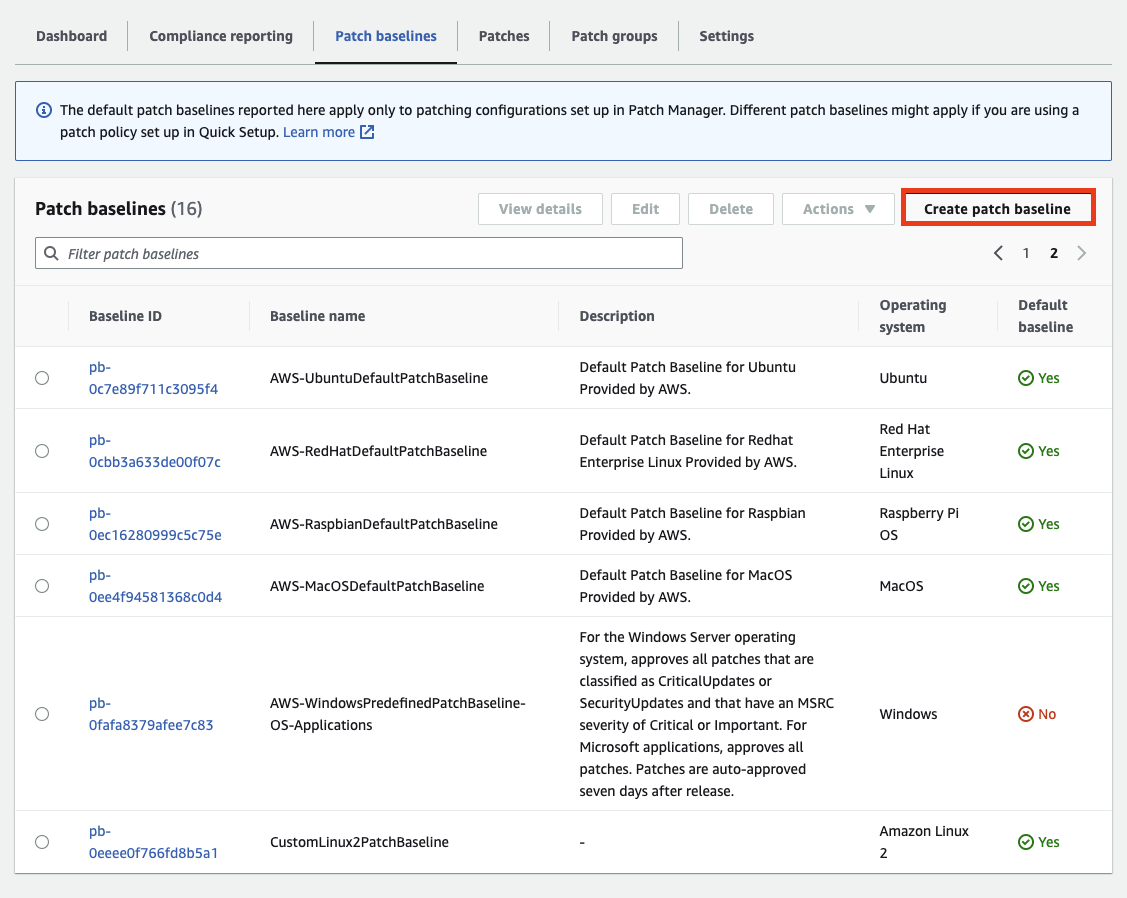
Press Create patch baseline to make one. I'll name it CustomLinux2PatchBaseline.
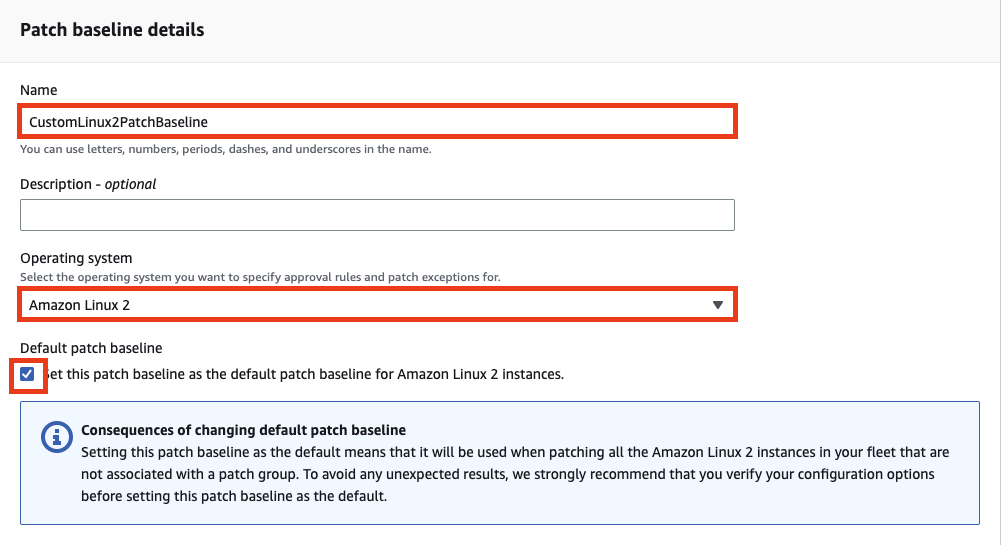
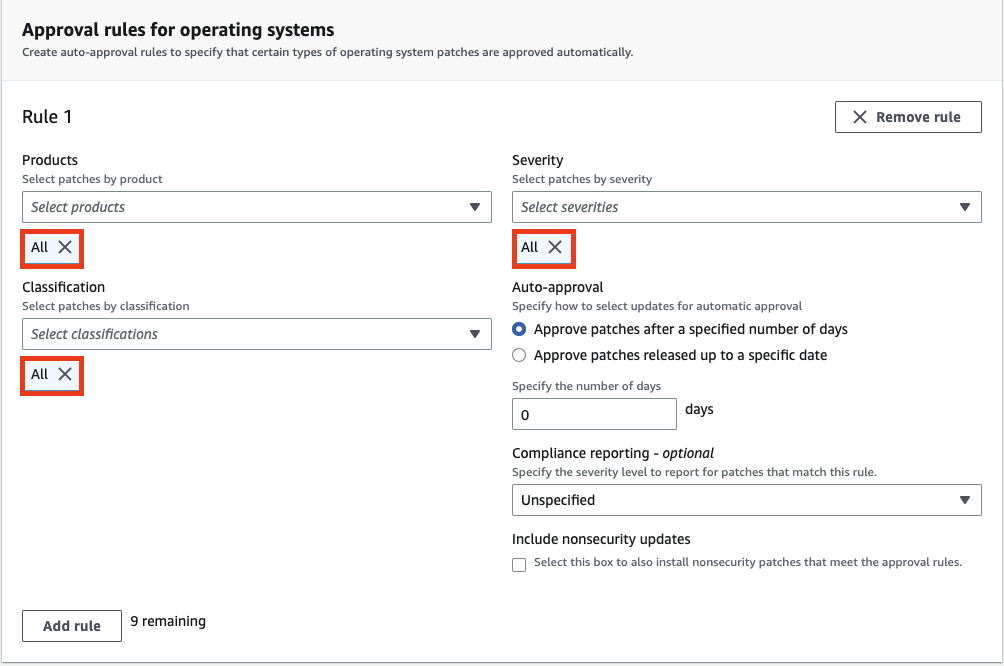
Configure as above and create it.
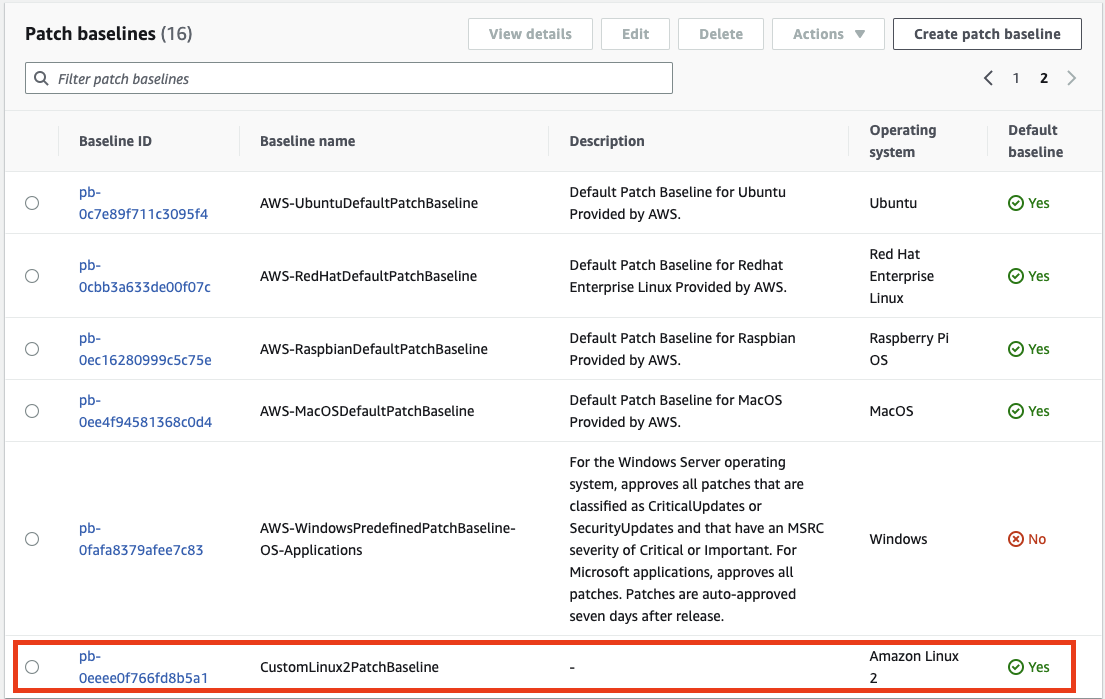
As in the picture above, it was created fine and Default baseline is set to Yes. You can see the other Amazon Linux 2 patch baseline has switched to No.

Let's create a maintenance window via Maintenance windows > Create maintenance window. I'll name it MaintenanceWindowTest.
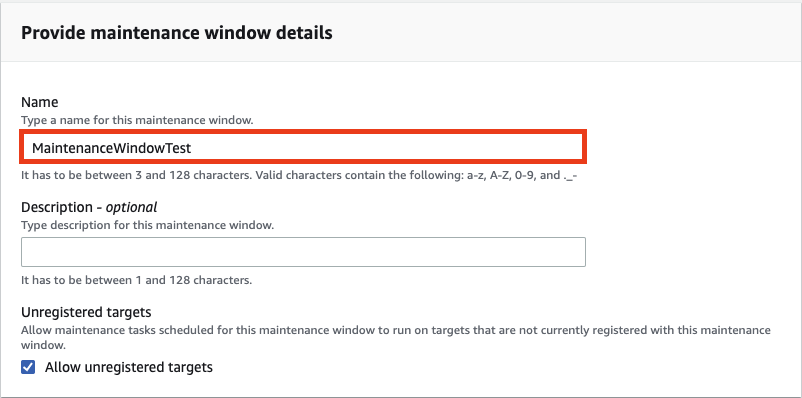
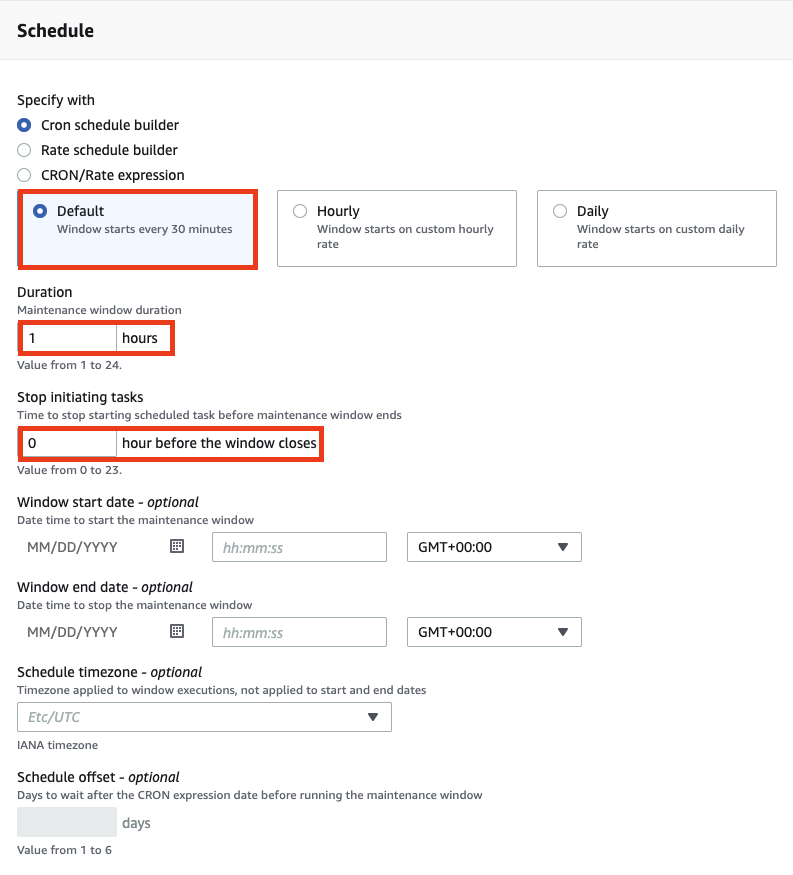
Follow the settings in the picture above and create it.
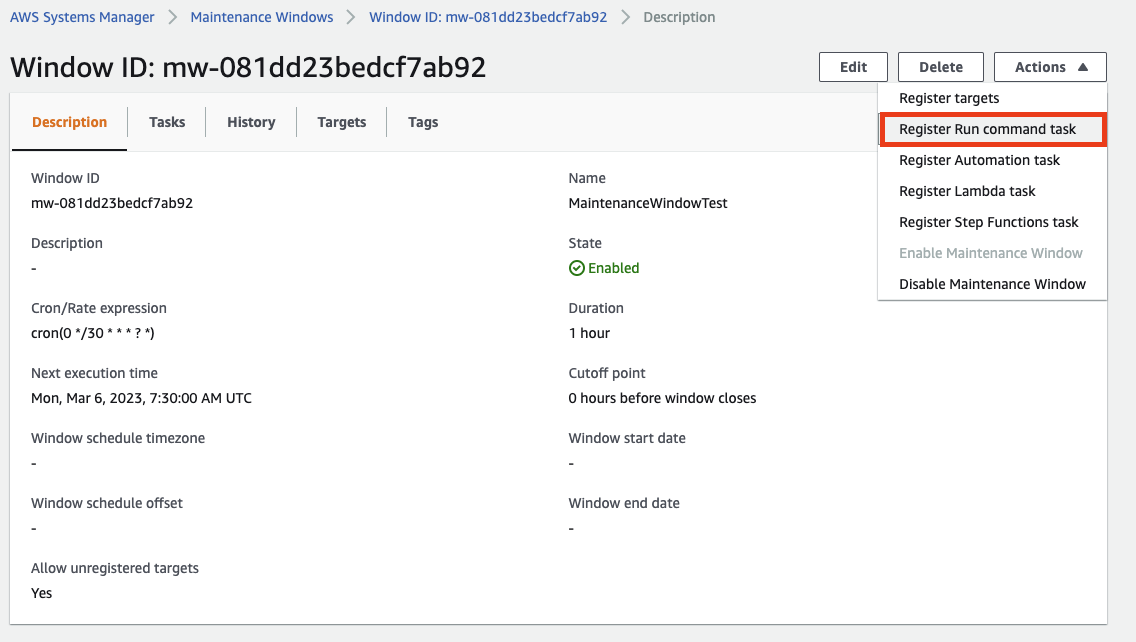
Then, as above, click the maintenance window we just made and press Actions > Register Run command task.
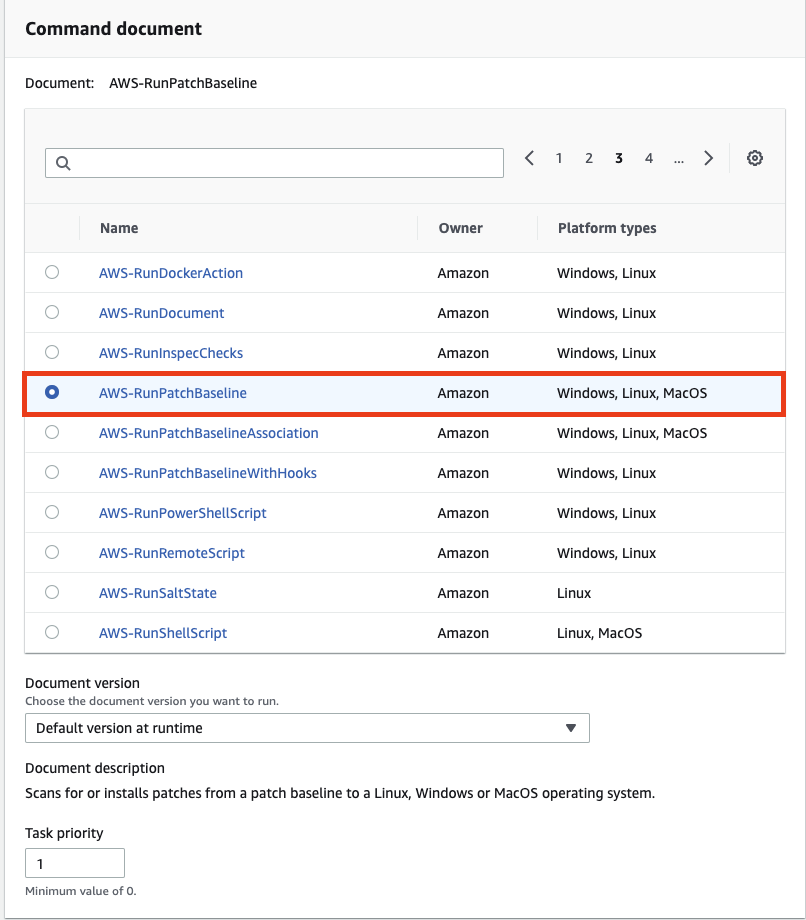
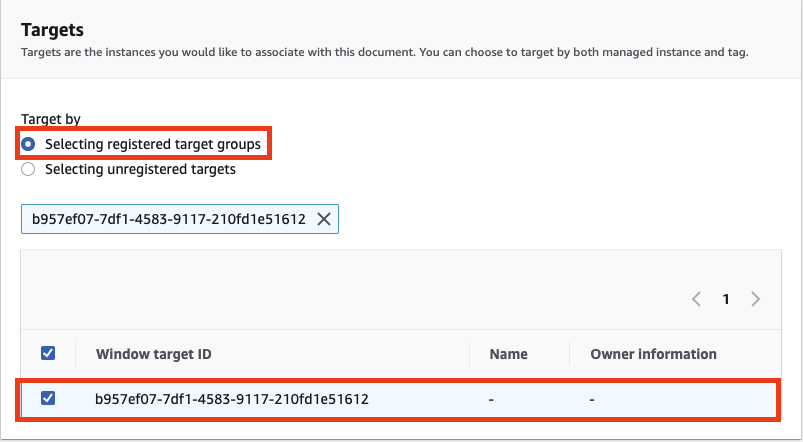
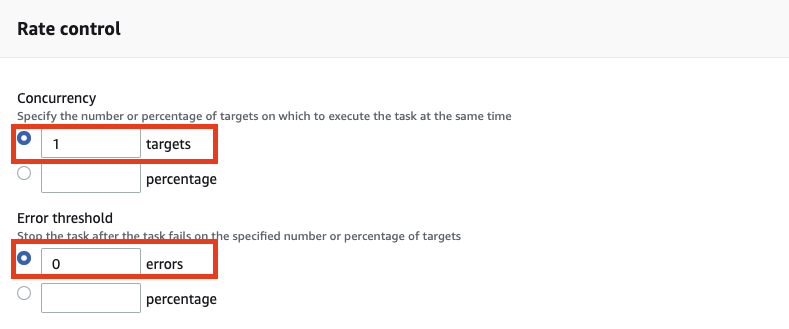
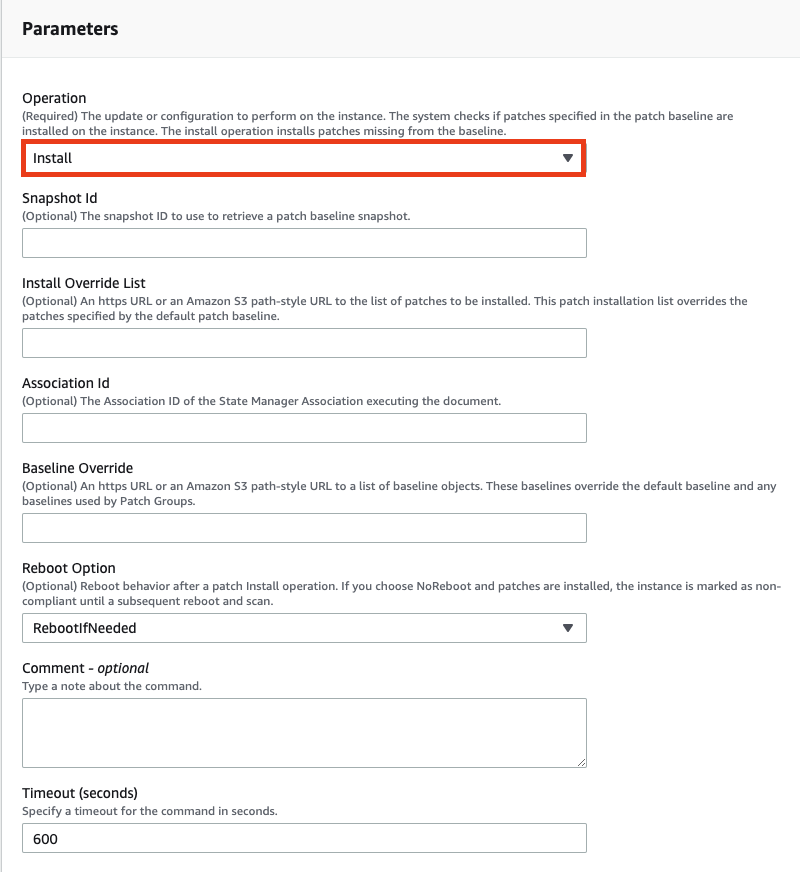
Follow the settings above and create it.
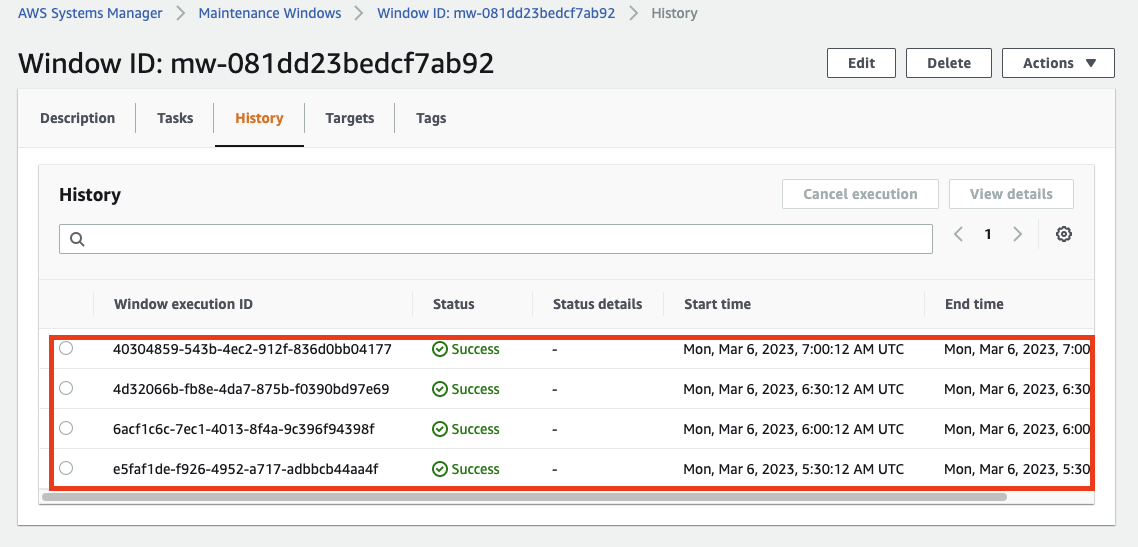
After 30 minutes you can see a log appear in History as in the picture above. That's it for the AWS Systems Manager Patch Manager hands-on.
References
https://dev.classmethod.jp/articles/lim-ssm-patch-manager/
Let's explore and use AWS System Manager's Patch Manager feature | DevelopersIO
Hello, this is Im Chae-jeong. Lately I've been exploring what features AWS System Manager has and organizing them on my blog. This time, among its features, I'll look into Patch Manager …
— dev.classmethod.jp
Original (Korean): tistory — published 2023-03-06, migrated to this blog. This translation was generated with the help of AI.