What is Amazon S3?
Amazon S3 is object storage built to store and retrieve any amount of data from anywhere. It's a simple storage service that offers industry-leading durability, availability, performance, security, and virtually unlimited scalability at very low cost. — official Amazon docs
S3 — Simple Storage Service — plays the role of a file server. As a service grows, file-server traffic grows and you'd normally have to add servers; S3 solves that. It also lets you set access permissions on files, preventing the service from being abused as generic hosting.
Amazon S3 characteristics
- No extra work is needed to handle a large number of concurrent users.
- No limit on the number of files you can store.
- Stores and serves data from as little as 1 byte up to 5TB.
- You can attach authentication to files to block unauthorized access.
- Supports the HTTP and BitTorrent protocols.
- Provides REST and SOAP interfaces.
- Data is stored redundantly across multiple facilities and restored automatically if loss occurs.
- Versioning lets you recover even from user mistakes.
- Protection levels can be tiered by how important the data is, cutting costs accordingly (RRS).
Terms used in Amazon S3
- Object: each piece of data stored in AWS S3 is called an object.
- Bucket: if objects are file-level, a bucket is the top-level directory grouping related objects. Regions are assigned per bucket, and authentication and access restrictions can be applied in bulk to every object a bucket contains.
- Versioning — records the changes of objects stored in AWS S3. For example, even if a user deletes or modifies object A, every change is recorded, so mistakes can be undone.
- RRS (Reduced Redundancy Storage): a storage mode with a higher chance of data loss than regular AWS S3 objects. In exchange it's cheaper, making it suitable for reproducible data such as thumbnail images. Even so, Amazon claims it's still about 400× safer than a physical hard disk.
- Glacier: literally an ice glacier — Amazon's storage service for keeping data at a very low price.
How to use Amazon S3 (static website hosting)
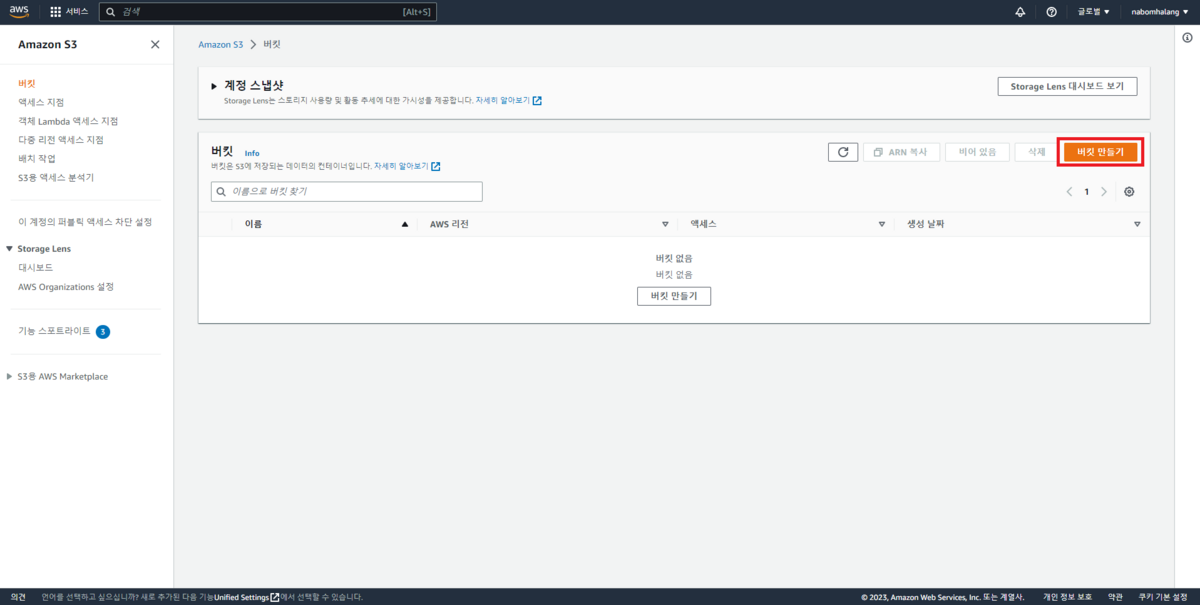
This is S3's main page. Click the red box to create a bucket.
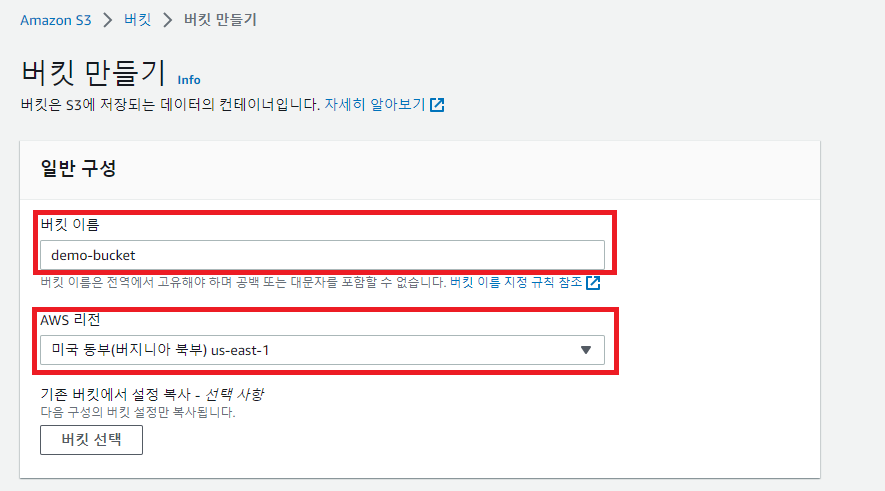
You can set the bucket's name and region.
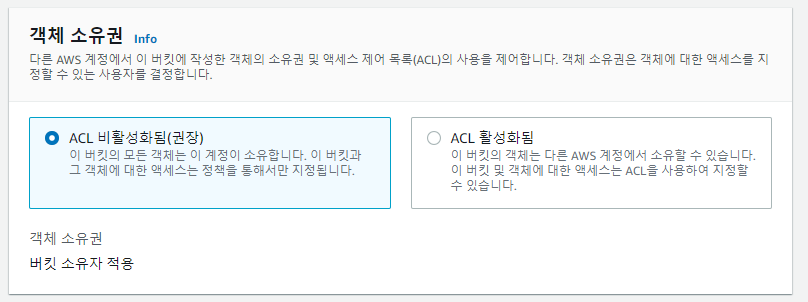
Access List settings — choose to disable Block all public access.
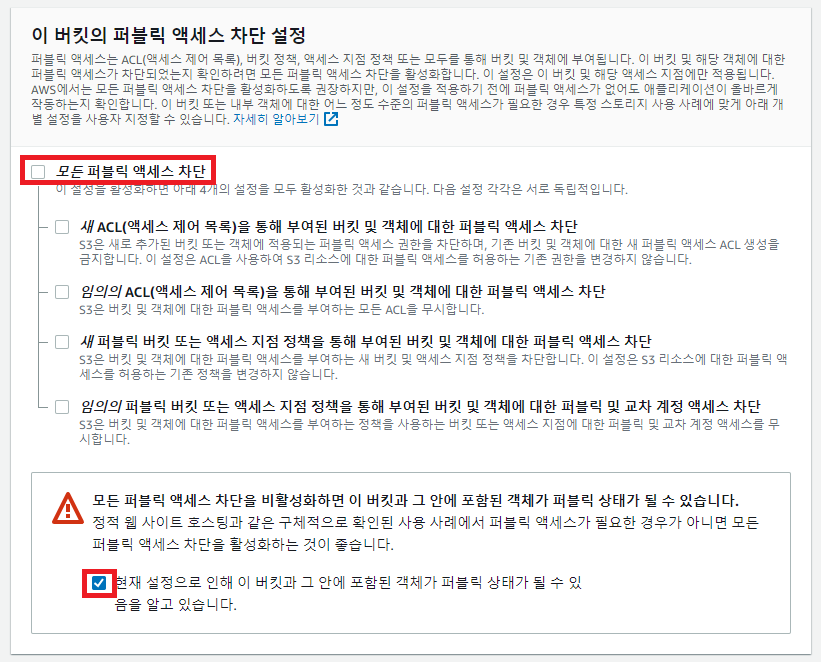
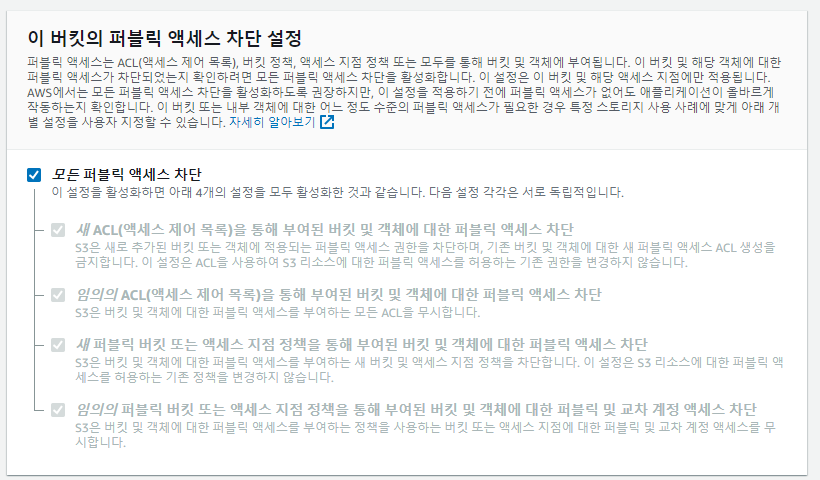
When creating for testing, you can disable Block all public access so the AWS S3 URL is easy to reach. Leave the rest at defaults.
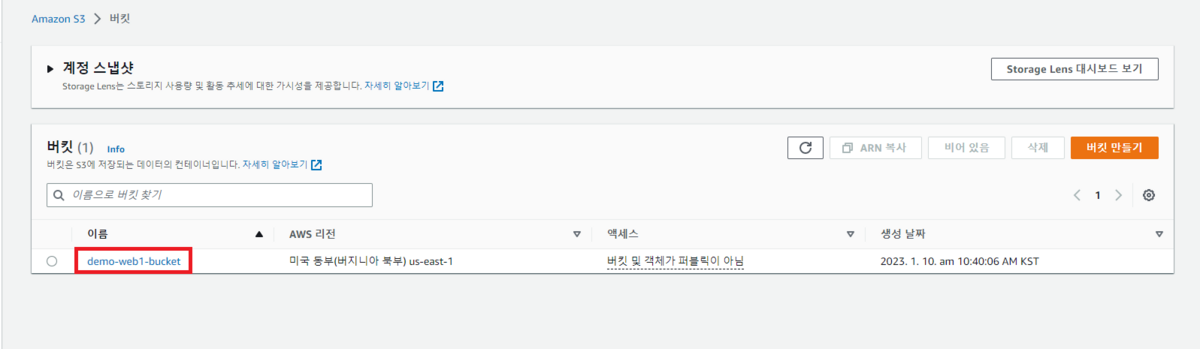
This is the bucket page after creation. Click the red box.
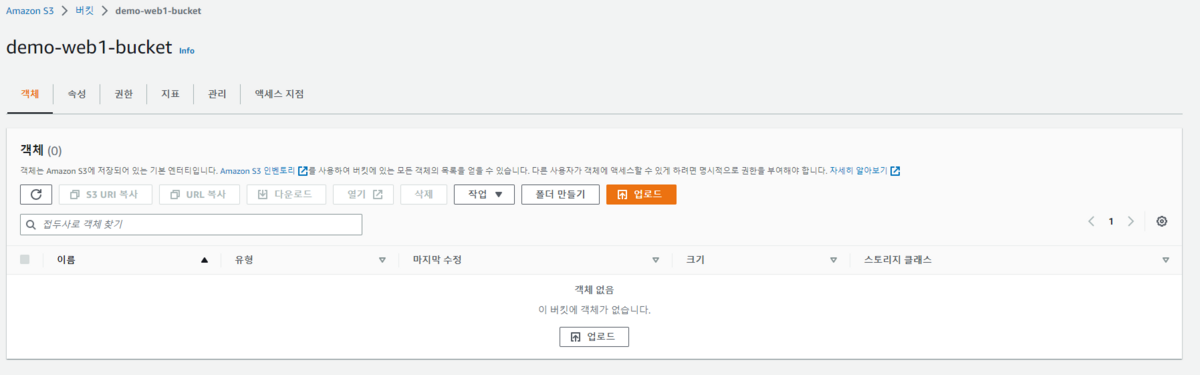
On this page you can drag in the files you want to upload.
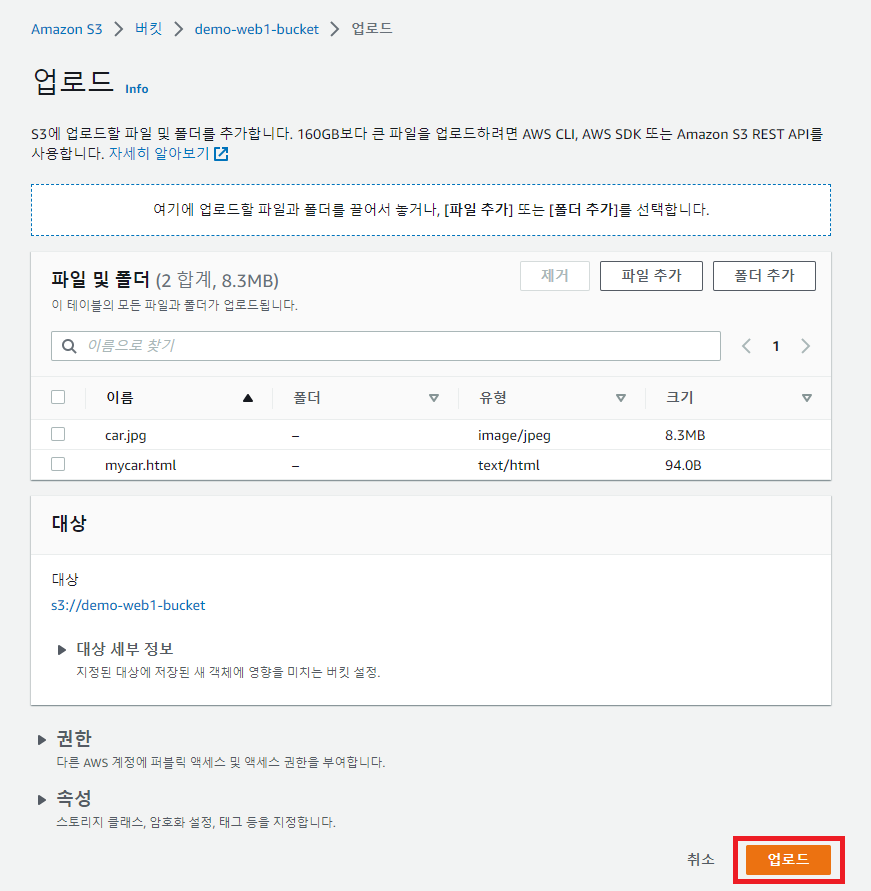
Dragging takes you to the upload page automatically as shown above. Press Upload to proceed.
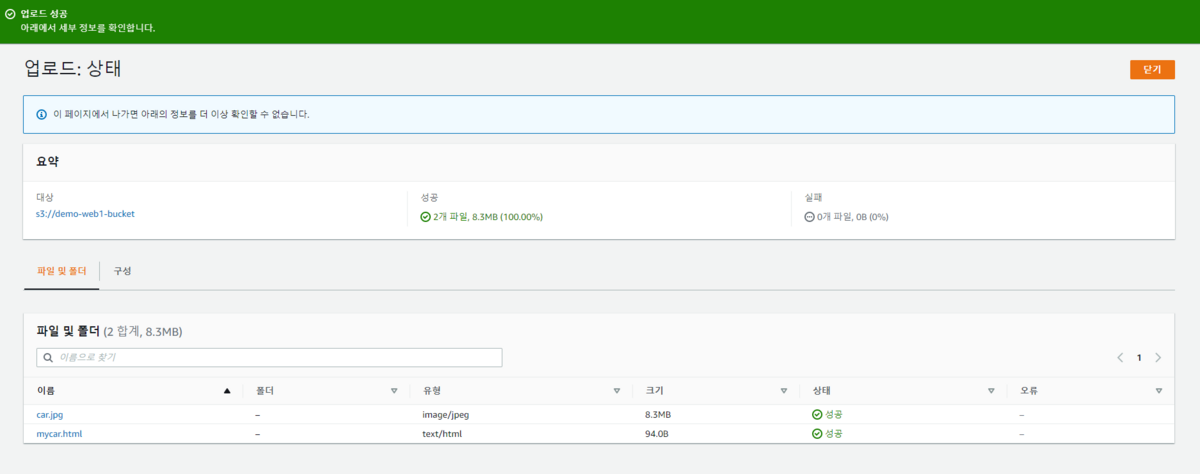
You can see it uploaded successfully.

Then go back into the bucket, open Properties, and click Edit on Static website hosting at the very bottom.
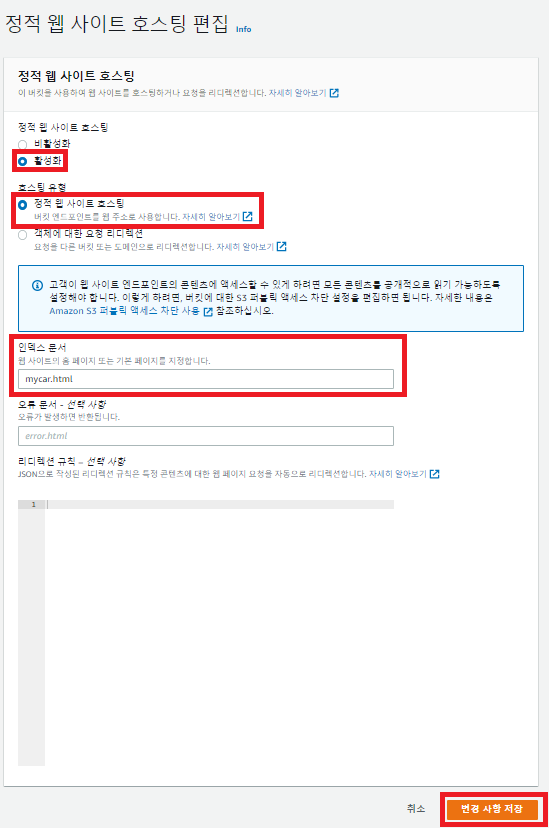
Fill it in properly according to the format and press Save changes.
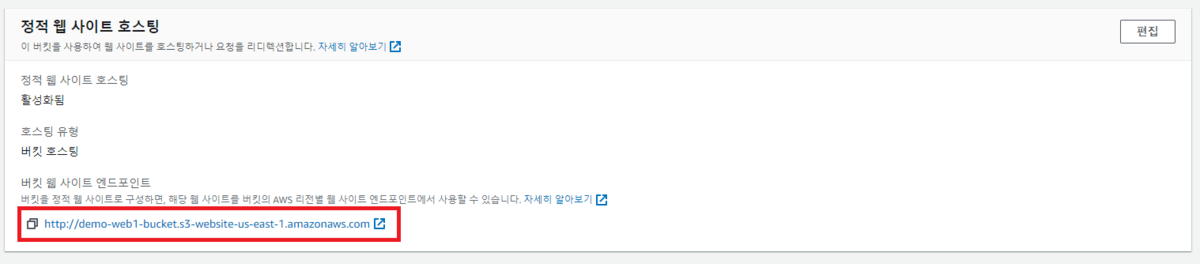
Once done, you can see a domain was generated as in the picture above.
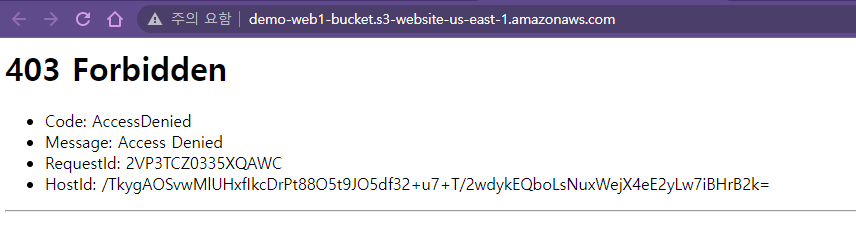
If you get a 403 like above, it's the public access block. Just follow along below.

Go back into the bucket page and open Permissions. Then click Edit on "Block public access (bucket settings)".
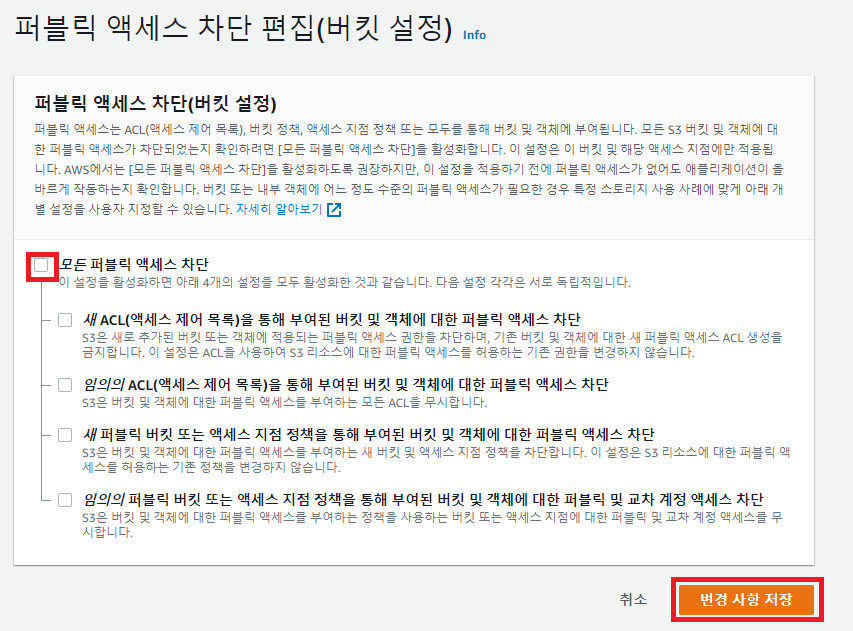
Uncheck Block all public access and press Save changes.
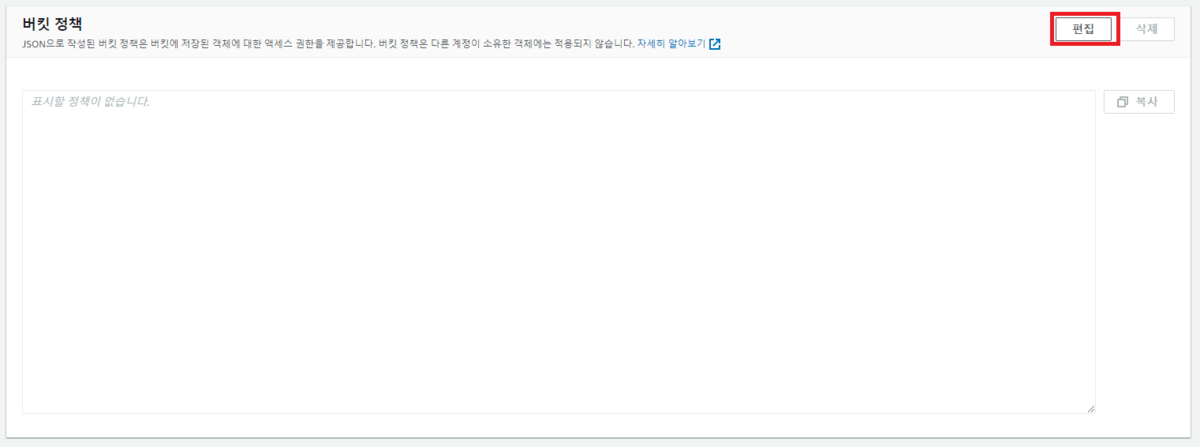
Then click Edit on Bucket policy right below.
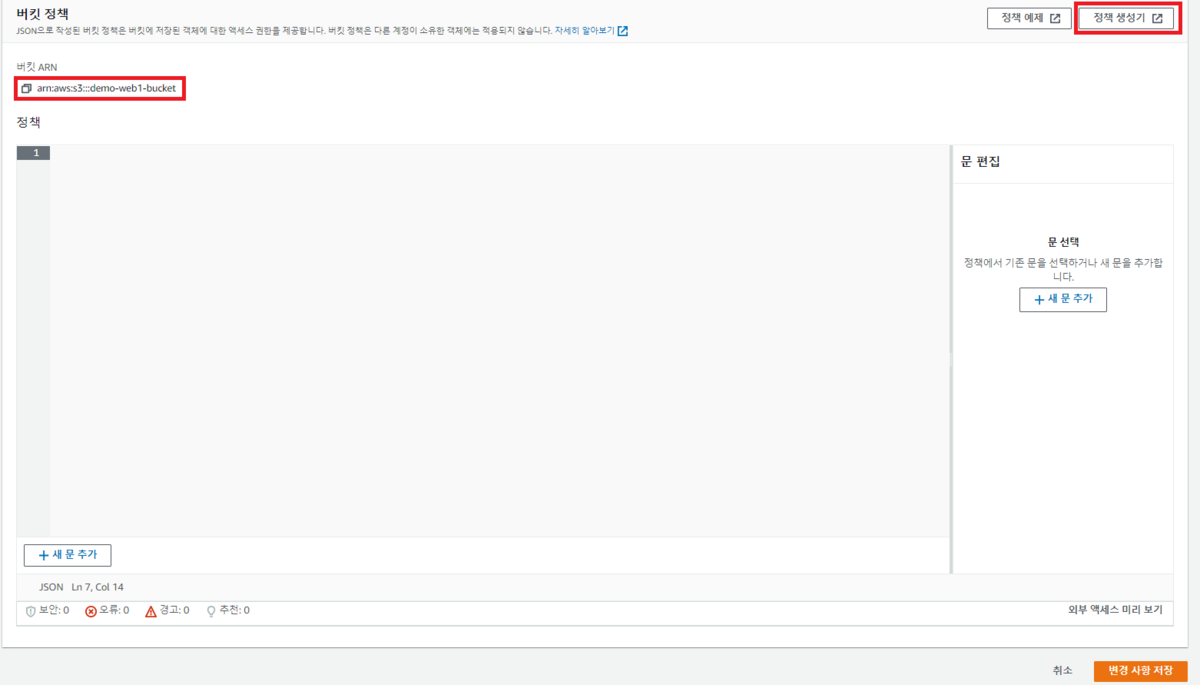
Click the bucket ARN to copy it in advance, then open the Policy generator. Since we're fetching individual files (objects), we need to set a getObject policy.
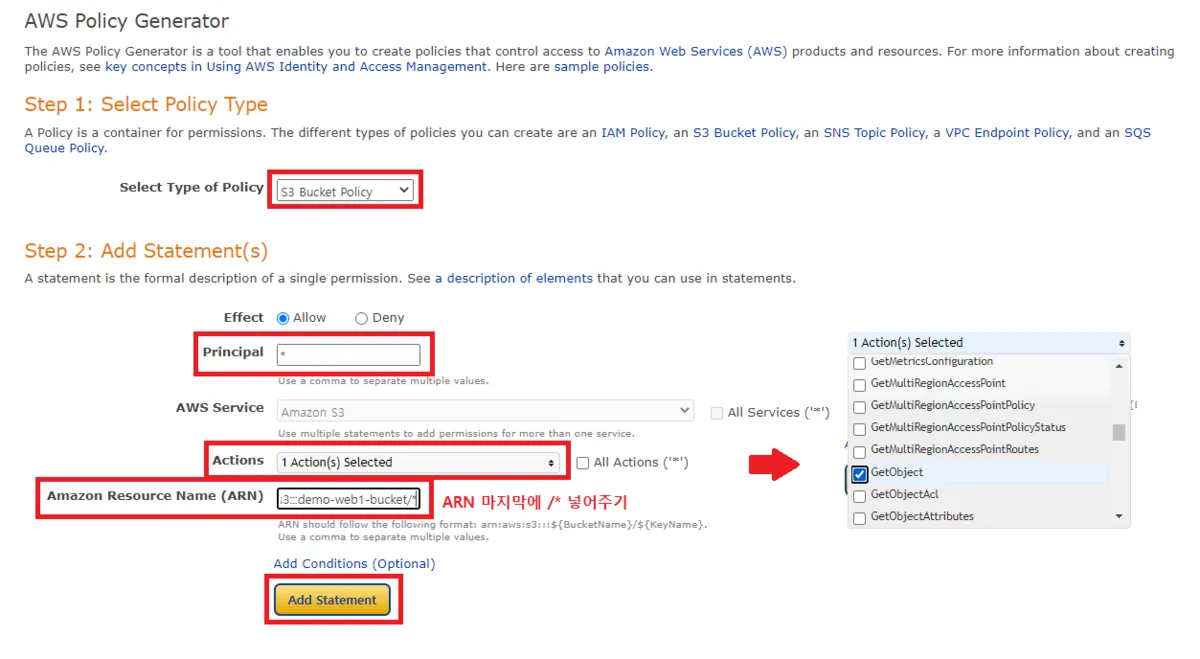
Change it to match the picture above. If you paste the copied ARN as-is, you'll get an error later when applying, as in the picture below — because the resource path isn't specified. If arn:aws:s3:::demo-web1-bucket is the base, then to allow access to the whole bucket you must write arn:aws:s3:::demo-web1-bucket/*, and to target a specific folder, write it like arn:aws:s3:::demo-web1-bucket/DirecotryName/*.


You can see it was generated fine. Now press Generate Policy.
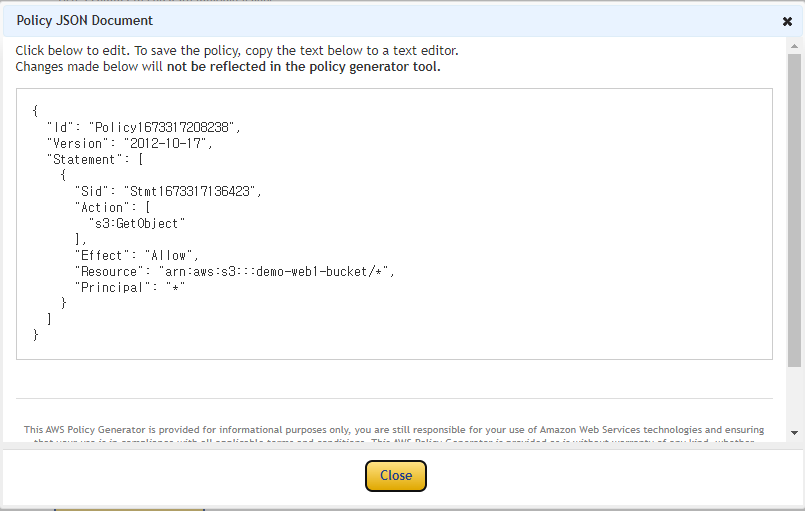
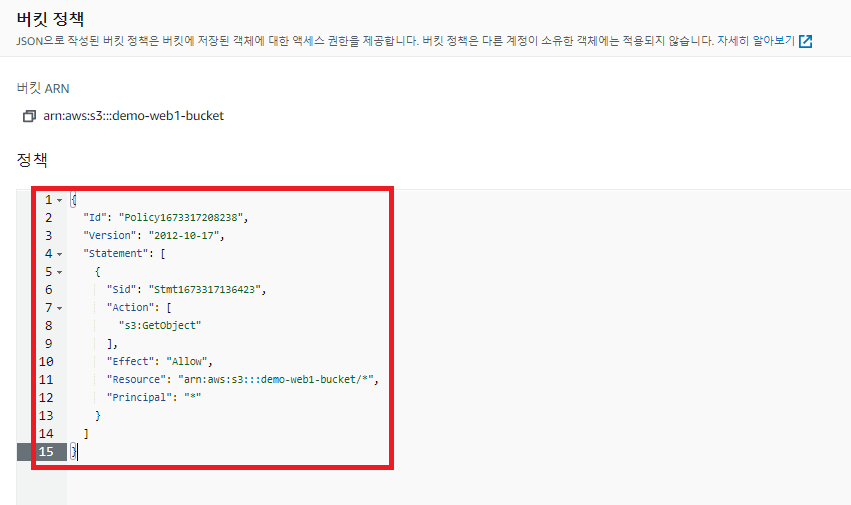
Copy the contents of that JSON verbatim and paste it into the bucket-policy edit box from earlier.
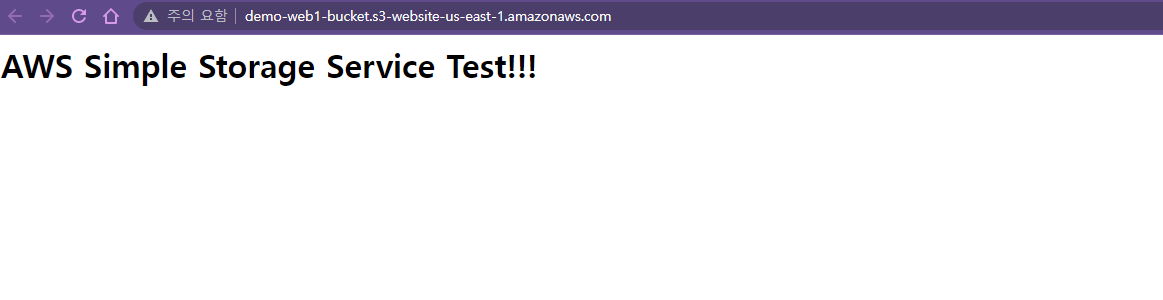
Then refresh the web host you made — it renders perfectly.
Sources
Original (Korean): tistory — published 2023-01-10, migrated to this blog. This translation was generated with the help of AI.