Topology
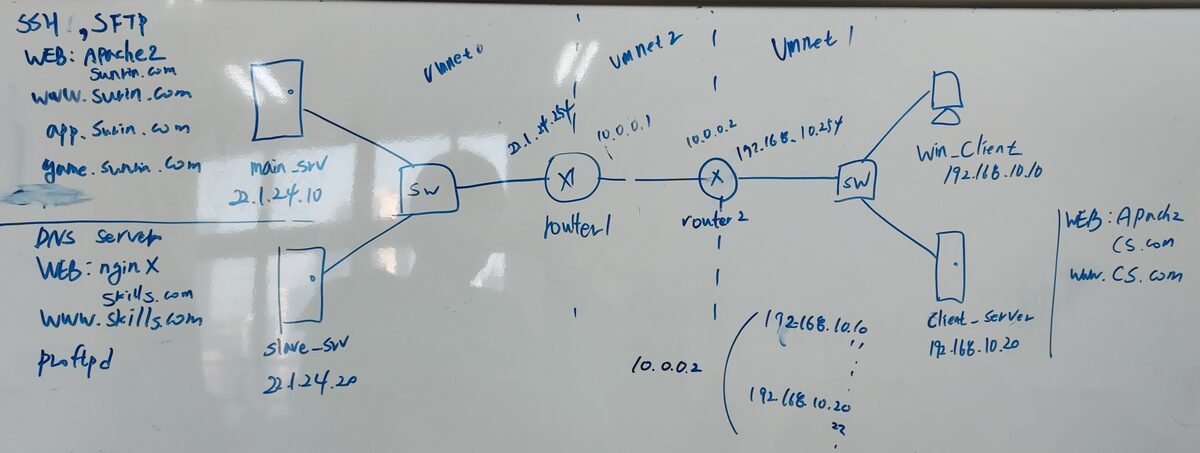
This is the newly added topology.
What's added from the previous topology: router2 was added, Vmnet2 is newly created, and a client-server was made. What needs changing from before: I want to unify the domain addresses that were done arbitrarily before. Everything is configured on the slave-server! It's not that you install bind9 somewhere else!! apache2 must be installed on 22.1.24.10, and sunrin.com, www.sunrin.com, app.sunrin.com, game.sunrin.com, must be configured; the slave-server must have nginx installed with skills.com, www.skills.com configured. The client-server on the right must have apache2 installed with cs.com and www.cs.com installed.
You may build client-server and router2 from scratch as review, or clone main-server and router to use them. I'll proceed with cloning.
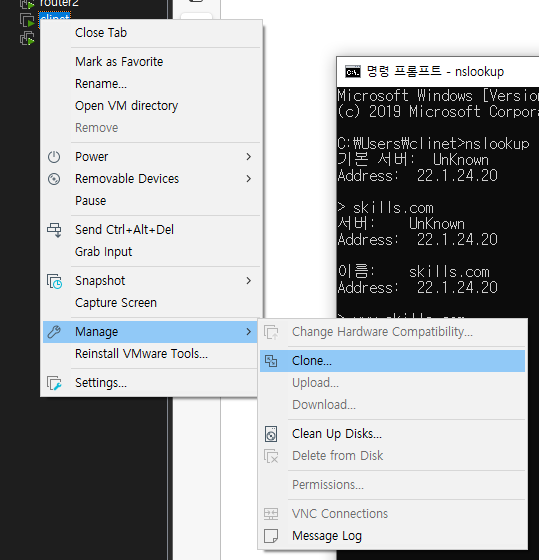
clone
As above, right-click the VM you want → Manage → clone, then spam Next. Closing with close creates the clone.
For the name, change what's under VM right-click → Setting → Options → virtual machine name. Then you now have to redo the Vmnet and IP settings. It's review of what came before. You can do it on your own, right?
Looking at the topology, the left network's router should have Vmnet0, Vmnet2, Vmnet8, and the right network's router should have Vmnet1, Vmnet2, Vmnet8.
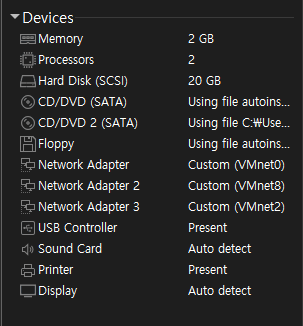
router
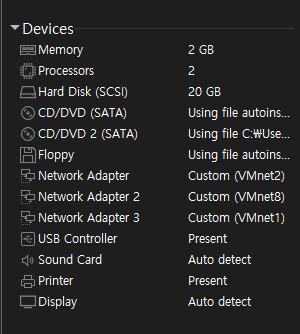
router2
Then reconfigure the IPs according to the above.
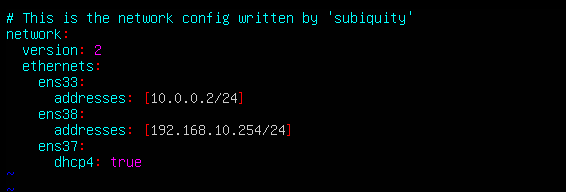
router2's /etc/netplan/00-installer-config.yaml
Since ens33 became Vmnet2, assign the IP to match the topology above. Then enter netplan apply and let's check.
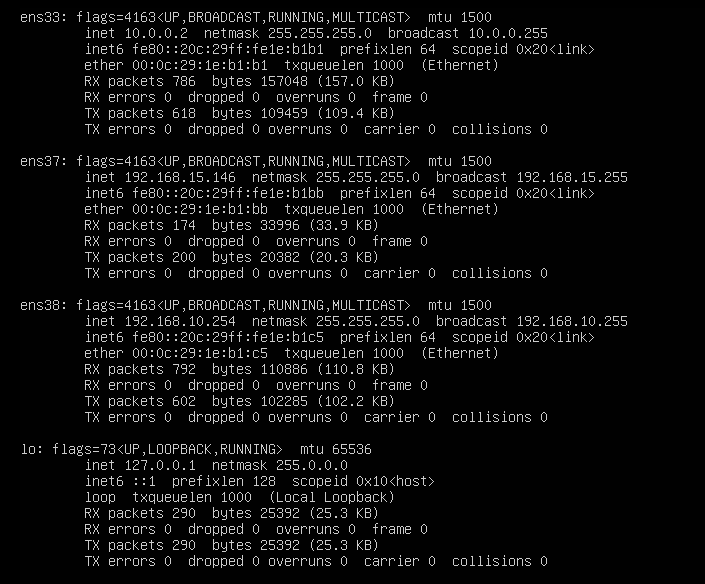
ifconfig
ens37 is NAT, so you have to turn it off again. Looking at ens33, you can see it's been reset to 10.0.0.2.
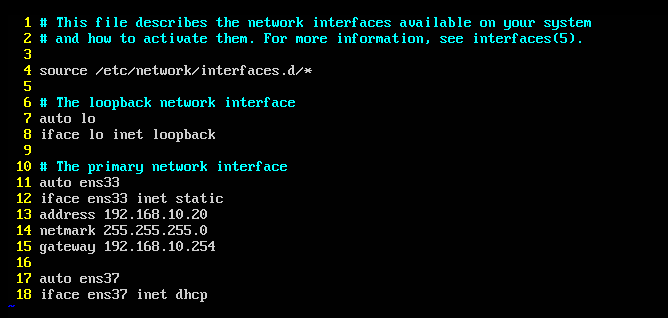
On the client-server, vim /etc/network/interfaces
Here just change the gateway and address, then enter systemctl restart networking and check with ifconfig.
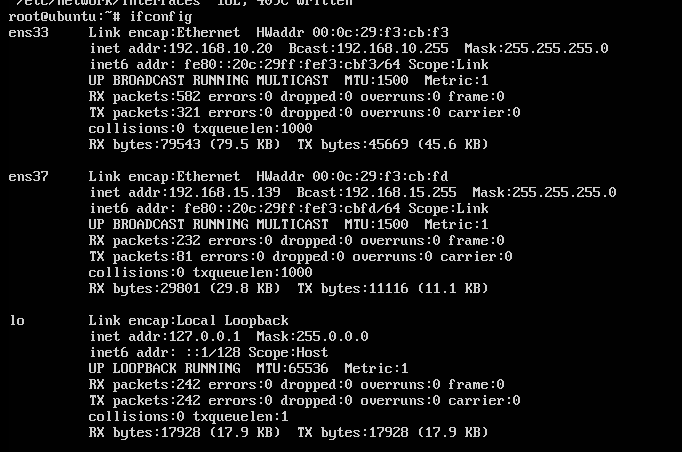
ifconfig
Here too, since ens37 is NAT, you have to turn it off. Looking at ens33, you can see the IP went back in fine.
※ If the IP doesn't go in properly here, try rebooting once with init 6. If it still doesn't work, it's a configuration problem.
Then now the routers ping each other, and pings within the same network zone go through fine. But a different network zone won't ping. Here, for now we'll do static routing on both sides so both directions communicate.
DNS configuration
This was actually spoiled in the pictures I uploaded last time, but I'll upload it properly once more.
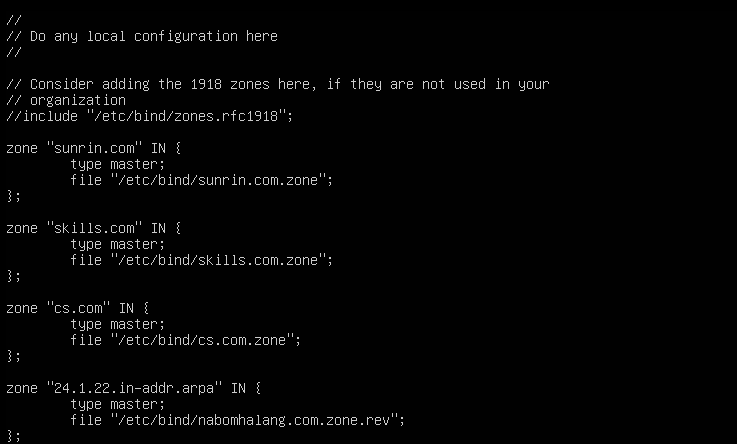
named.conf.local
You don't have to do the reverse direction yet. From the existing one, create it as above.\
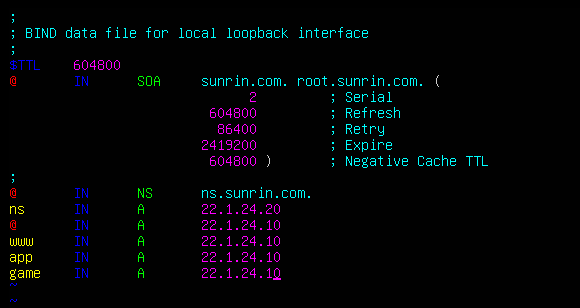
sunrin.com.zone
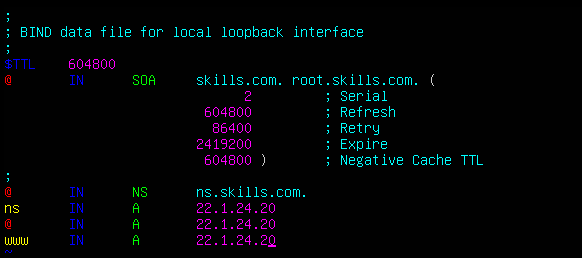
skills.com.zone
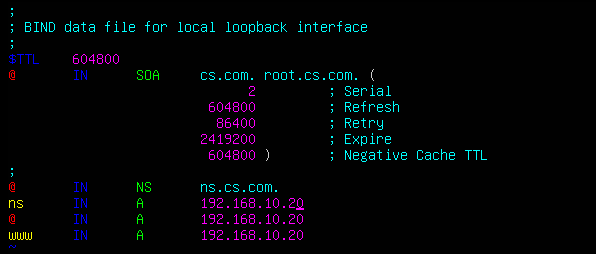
cs.com.zone
If you configure it as above, it'll work well like the topology above. After that, enter systemctl restart bind9 and check each one with nslookup from the Windows client.
Original (Korean): tistory — published 2022-02-03, migrated to this blog. This translation was generated with the help of AI.